AI support bot: Launch 24/7 SaaS support in 10 minutes
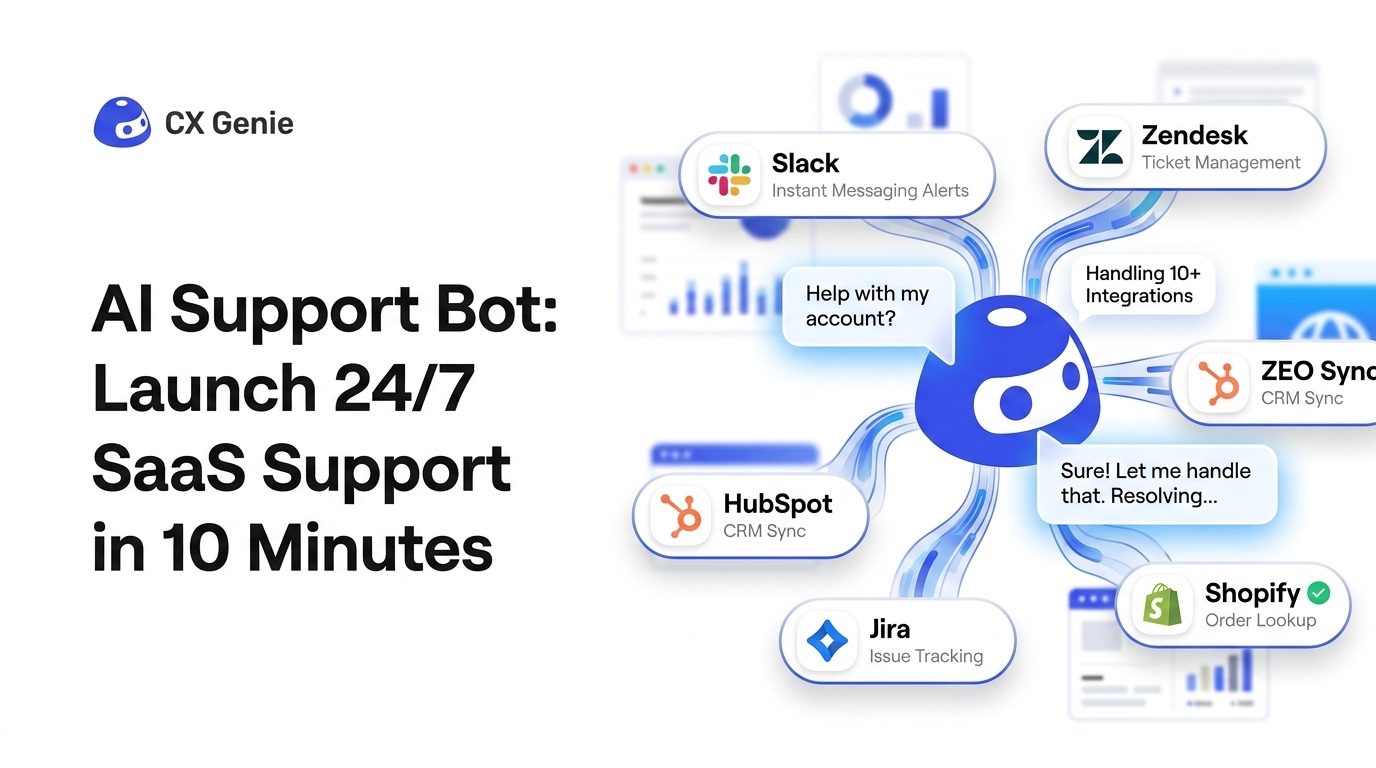
An ai support bot is the fastest way for a pre-Series A SaaS team to stop answering the same questions (pricing, onboarding, basic bugs) and still capture leads after hours. The goal is not “AI chat” it is measurable outputs: fewer repeat tickets, faster first response, and higher lead-to-trial conversion without hiring.
Mục lục
- What outputs an AI support bot should deliver
- The 10-minute setup: first value with CX Genie
- A simple workflow: bot answer, handoff, ticket, follow-up
- How to measure ROI weekly (not vanity metrics)
- When to upgrade from solo to a team plan
Key Takeaways
- An AI support bot should be judged by deflection, first response time, and lead-to-trial lift.
- You can reach first value in under 10 minutes if you start with 10 to 20 FAQs and a web widget.
- Handoff is the difference between “chat” and real support operations: inbox, queue, assignment, and tickets.
- Team expansion happens naturally once volume and collaboration needs appear (routing, QA, reporting, permissions).
What outputs an AI support bot should deliver
If you are a technical founder or PM running support between sprints, you do not need more features. You need outputs you can verify within 7 to 14 days.
- Ticket deflection rate: % of conversations resolved by the bot without human reply. Output: fewer interruptions for product work.
- Time to first response (TFR): bot replies instantly, humans only handle escalations. Output: 24/7 coverage without on-call.
- Consistent policy and tone: answers cite your docs and follow your refund or SLA rules. Output: fewer “wrong promise” incidents.
- Lead capture and intent tagging: capture email/company and label intent (pricing, integration, security). Output: cleaner trial pipeline.
CX Genie is designed around these outputs by combining: a knowledge-driven bot, deployment via a web widget, and a real help desk layer (conversations, inbox, queue, collaboration, and ticketing).
 A 10-minute path from knowledge base to a deployed web chat widget with measurable support outputs.
The 10-minute setup: first value with CX Genie
This is the fastest path to “time-to-first-value” for an ai support bot in a B2B SaaS context. Aim for one channel first (your website) and one knowledge source (FAQ or docs).
Step-by-step checklist (first value in under 10 minutes)
- Create a workspace: set timezone and working hours so expectations and routing match your team’s reality.
- Create a bot: name, avatar, and language. Keep it simple so you can ship today.
- Add Knowledge Base: paste 10 to 20 FAQs or import from an article/URL/doc. Prioritize the top repeat questions: pricing, trial length, cancellation, onboarding steps, common errors.
- Verify Knowledge Chunks: quickly scan chunks to catch messy formatting or missing sections before users see wrong answers.
- Set guardrails in Bot Configuration: greeting, tone, answer length, and enable citations so users can trust the source.
- Deploy the Chat Widget: copy the code snippet into your marketing site. Publish.
First value definition: you can open your site, ask “How do I cancel?” and the bot answers with a cited policy from your docs. That is a real operational output, not a demo.
A simple workflow: bot answer, handoff, ticket, follow-up
Most bots fail in startups because there is no clean handoff. CX Genie’s workflow is designed to turn conversations into owned work.
Workflow you can run with a 1 to 3 person team
- Bot resolves repeat questions using Knowledge Base + prompt/model settings.
- Handoff to human when confidence is low or intent is high (pricing, security, enterprise request). Output: fewer missed high-value leads.
- Conversations and Inbox: assign the thread to a specific owner so nothing gets lost in a shared email inbox.
- Queue management: keep a visible list of waiting items to protect response times during launches.
- Ticketing: convert a conversation into a ticket when it becomes real work (bug, billing issue, feature request). Use Ticket Rules and Views to route and track.
- Contacts + Tags: store who asked what, and tag themes (onboarding, bug, pricing) to feed your roadmap and onboarding content.
Expert Insight
For pre-Series A SaaS teams, the highest ROI pattern is not “answer everything.” It is “deflect the top 30% repeat questions and escalate the top 10% revenue or risk questions.” That split protects engineering focus while still improving conversion and trust. A help desk layer (assignment, queue, tickets) is what makes the bot operational instead of cosmetic.
How to measure ROI weekly (not vanity metrics)
Set up a weekly review cadence. If your team cannot measure outcomes, you cannot justify expansion.
Weekly scorecard (outputs you can act on)
- Deflection rate: conversations resolved by bot / total conversations.
- Human workload saved: (deflected conversations) x (avg minutes per manual reply). Even a conservative 3 minutes per reply adds up fast.
- First response time: bot should be instant; humans should improve because they handle fewer items.
- Top 10 unanswered questions: add them to Knowledge Base and re-check chunks.
- Lead capture count: number of contacts captured from chat or forms, tagged by intent.
Use QA Feedback to sample bot answers, then feed improvements back into AI Improvement so the system gets better without rewriting everything.
When to upgrade from solo to a team plan
Start self-serve with one owner (founder/PM). Upgrade when collaboration becomes the bottleneck, not the bot.
Clear upgrade signals (practical thresholds)
- More than 1 person touches support weekly: you need Team Management, permissions, and clear ownership in Inbox.
- Conversation volume is spiky (launches, incidents): queue visibility and routing rules become essential to protect SLAs.
- You need standardized handling: Ticket Rules, Views, tags, and consistent internal collaboration reduce mistakes.
- You need reporting for decisions: weekly stats for deflection, response time, and categories to justify hiring or to avoid hiring.
- You run multi-channel: web chat plus email (and later team notifications like Lark) requires shared workflows.
In CX Genie, this expansion is natural: self-serve starts with a bot + widget + basic KB, then teams add seats for inbox triage, ticket routing, QA, and shared reporting. Billing and Usage tracking (conversations, seats) keeps unit economics predictable as you scale.
Câu hỏi thường gặp
What is an ai support bot in a B2B SaaS setting?
An ai support bot is a knowledge-driven support assistant embedded in your website or app that answers repeat questions instantly, escalates edge cases to humans, and produces measurable outputs like deflection rate and faster response times.
How fast can I get first value?
If you already have FAQs or docs, you can typically reach first value in under 10 minutes: create a workspace, add a bot, load 10 to 20 FAQs into the knowledge base, and deploy the chat widget snippet.
How do I prevent the bot from giving wrong answers?
Use citations, keep the initial knowledge base tight (top repeat questions), review knowledge chunks for quality, and run a weekly QA feedback loop to correct gaps and improve responses over time.
When should I turn conversations into tickets?
Create tickets when the request becomes trackable work: bugs, billing issues, refunds, or feature requests. Ticket rules and views help route and prioritize so nothing is lost in chat threads.
When does it make sense to upgrade to a team plan?
Upgrade when multiple people handle support weekly, when you need routing and permissions, or when reporting and QA become necessary to maintain consistent tone and SLA as volume grows.
CTA: If you want an ai support bot that ships today and scales into a real support workflow, start self-serve in CX Genie: publish a widget, deflect repeat tickets, then add seats when your inbox becomes a team sport.
Unknown Author
Stay in the loop
Get the latest insights on SaaS growth, product strategy, and more delivered to your inbox.